
The WhatsApp Team Inbox for Customer Support
Stop passing the office phone around. Manage WhatsApp support with unlimited agents, shared inboxes, and AI automation.
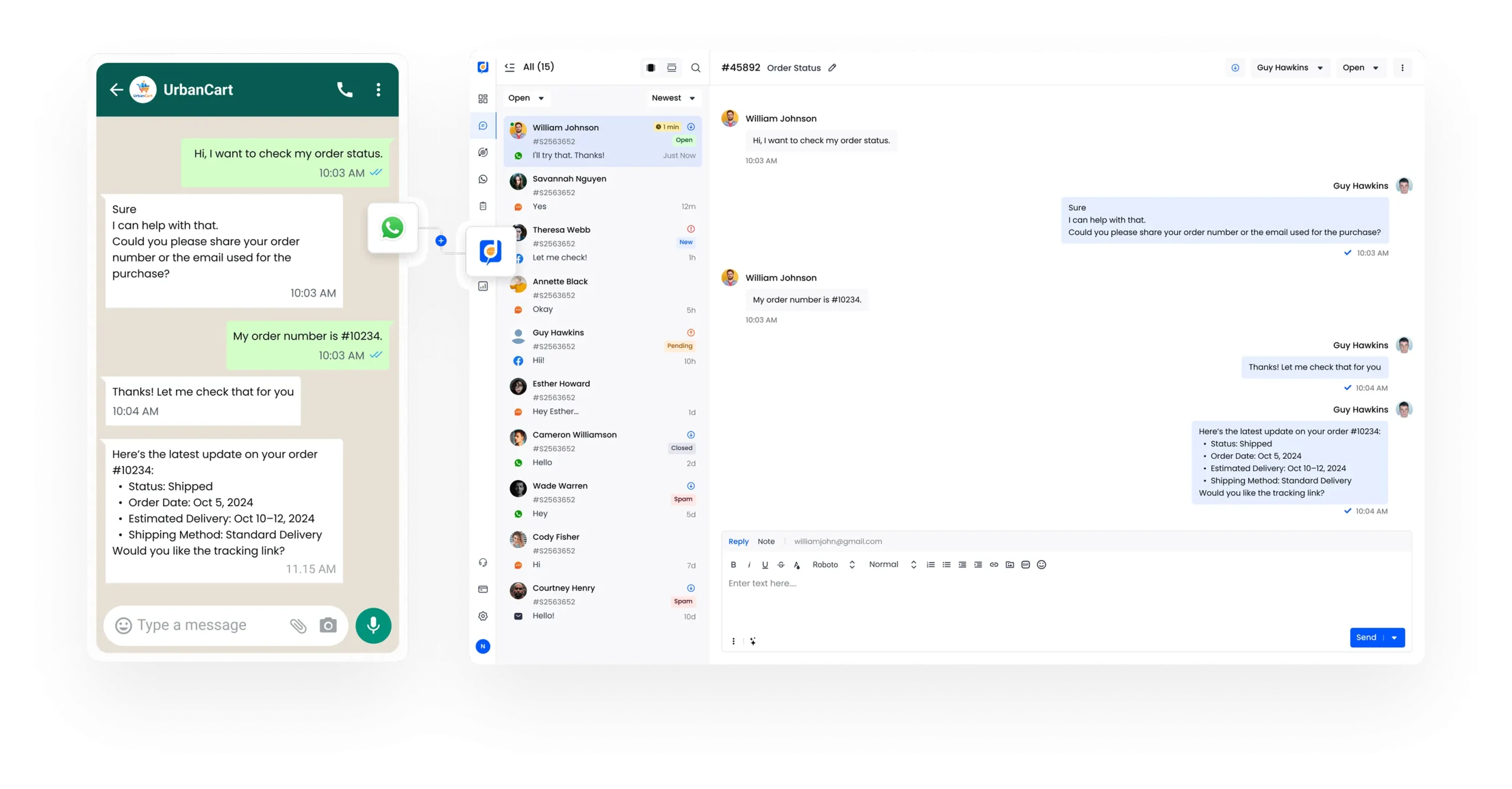
Is Your Business Stuck on a Single Phone?
The WhatsApp Business app limits you to one phone and four linked devices. That setup might work for a solo operator, but it breaks fast once a team gets involved.
Shared logins lead to missed messages, duplicate replies, and no clear ownership of conversations. There’s no structure, no accountability, and no reliable history to fall back on.
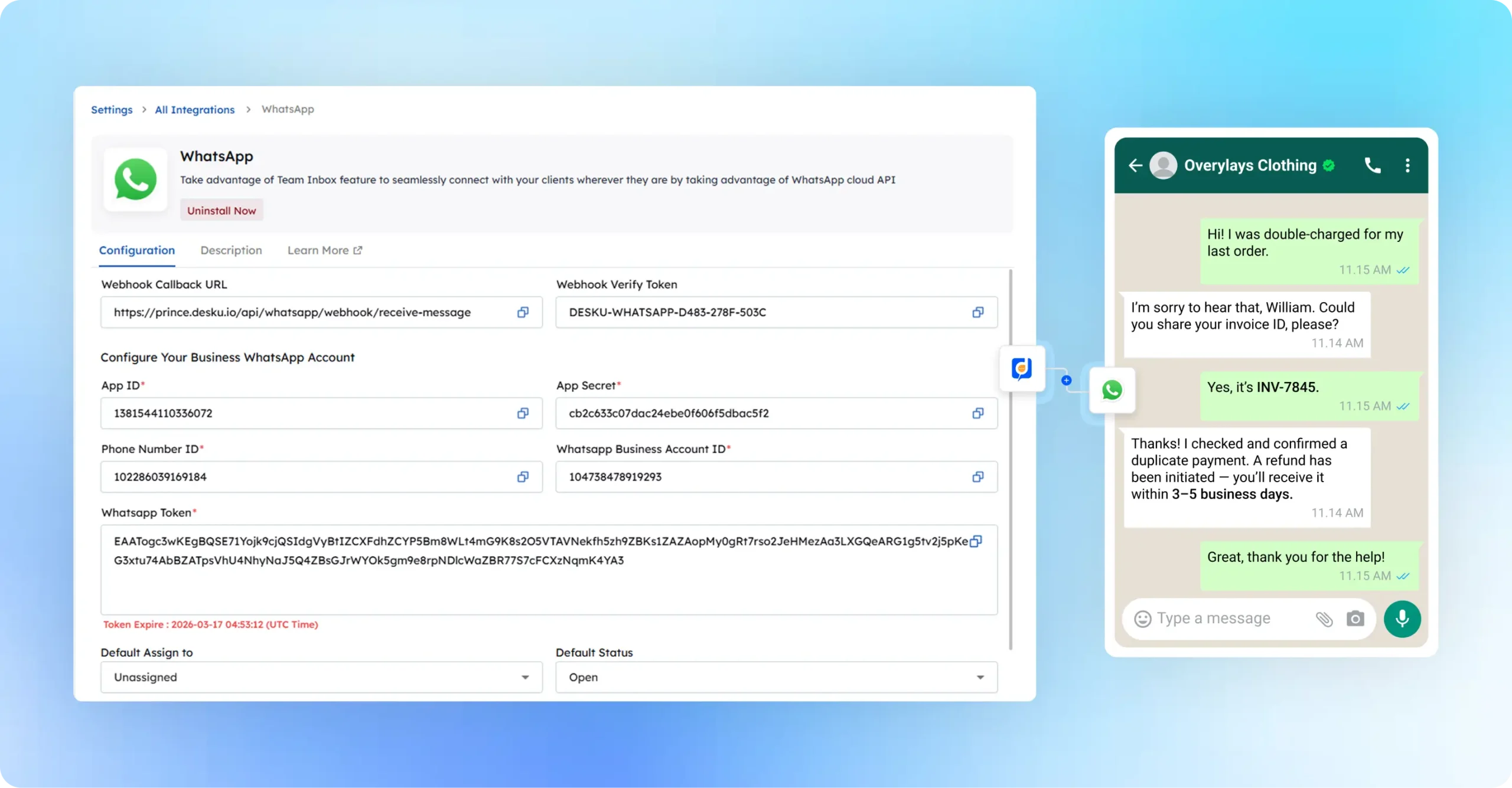
Let your entire team respond from one shared WhatsApp number
One Number. The Whole Team.
Desku.io turns a single WhatsApp number into a shared workspace for your entire support team. With a dedicated WhatsApp Shared Inbox, conversations are no longer scattered across devices or handled in isolation.
Every message becomes a structured ticket that can be assigned, tracked, and resolved with full visibility, so nothing slips through the cracks.
This is what a proper multi-agent WhatsApp support setup looks like when WhatsApp is treated as a serious support channel.
Key collaboration features include:

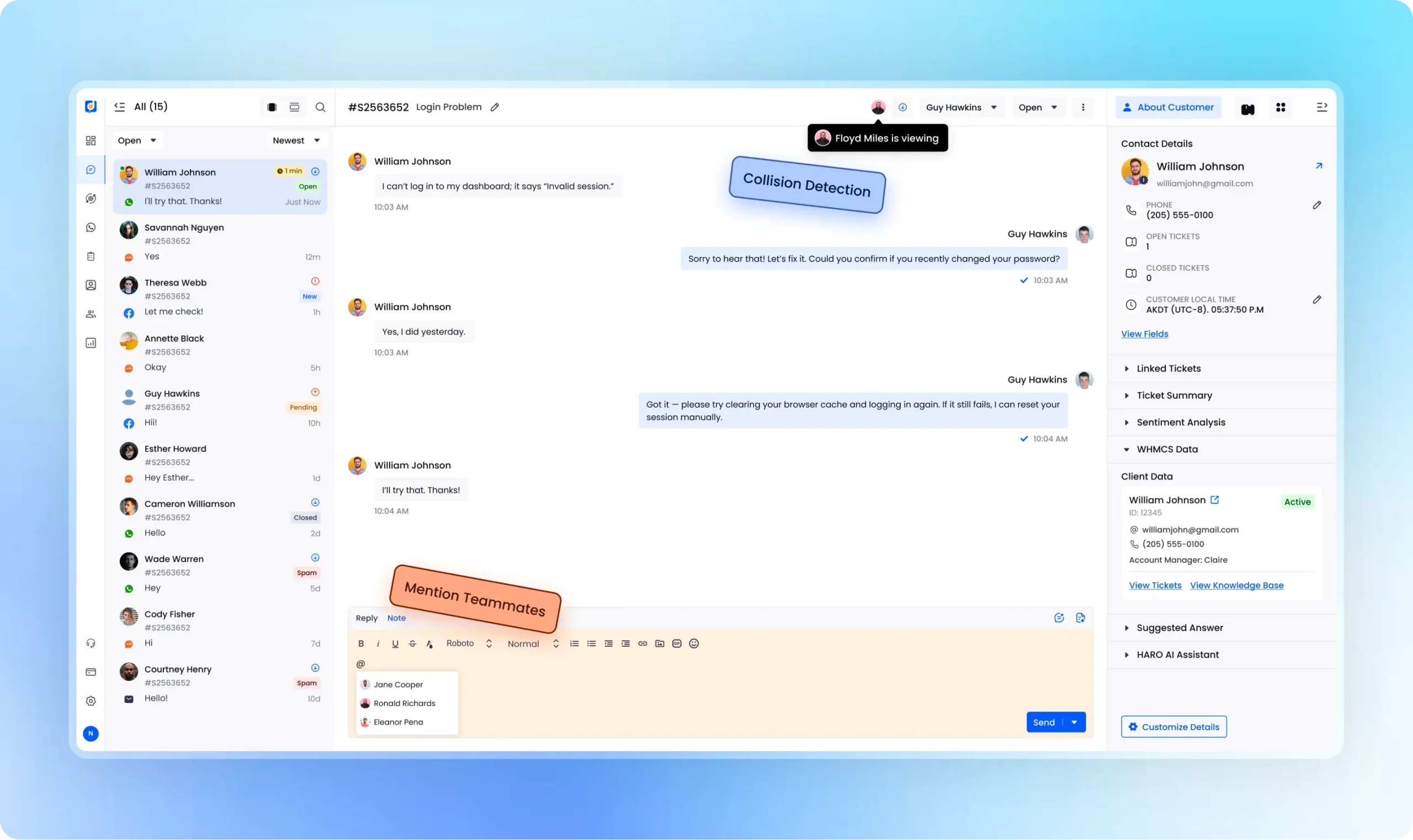
Build Trust with the Green Tick
Customers respond faster when they know they are speaking with a verified business. The WhatsApp Green Tick signals authenticity and sets clear expectations before the conversation even begins.
This verification demonstrates to customers that you are the real deal, which is especially important for service businesses that handle payments, bookings, or sensitive customer information.
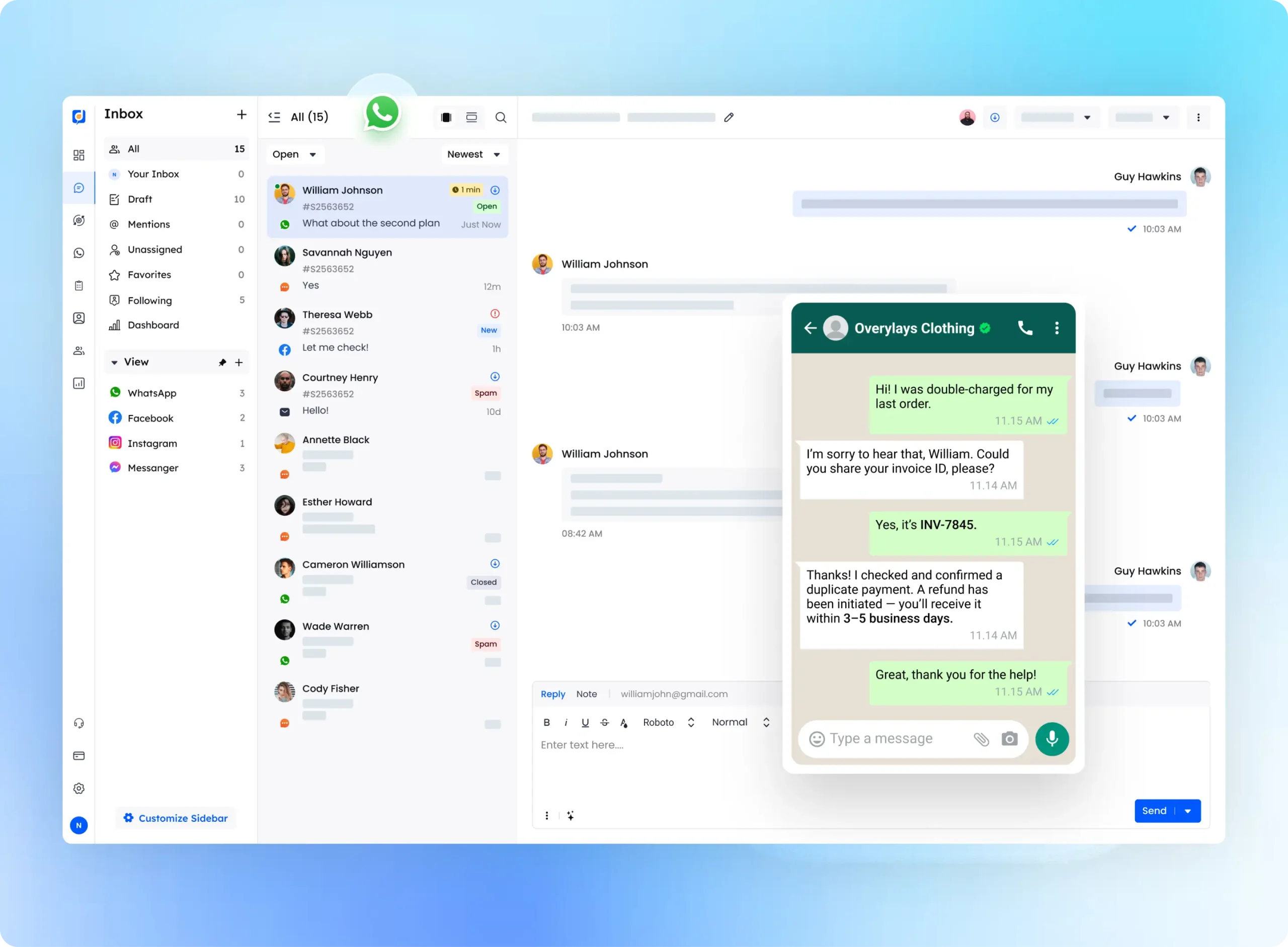
Use Desku to manage verified WhatsApp conversations at scale
Handle Documents, Photos & Voice Notes
Real customer support goes beyond text. Teams often need documents, visuals, and voice communication to resolve issues properly.
Desku.io supports rich media messaging via WhatsApp, so your team can handle complex requests without lengthy back-and-forth.
If you need to Send PDF on WhatsApp Business API, Desku.io handles it natively, without workarounds or limitations.
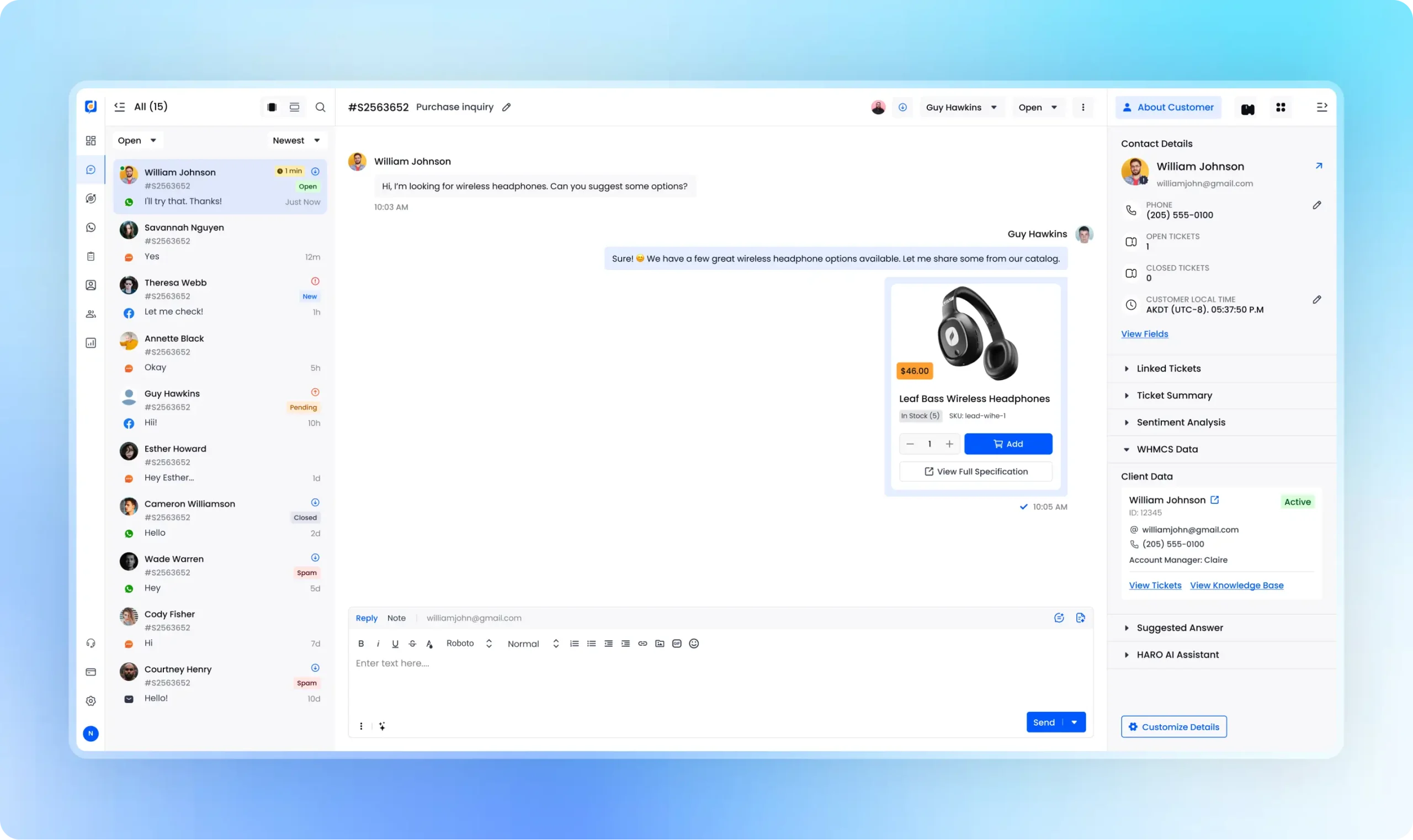
Never Miss the "24-Hour Window"
WhatsApp enforces strict messaging rules, and once the 24-hour response window closes, you can no longer reply freely to customers. Missing that window can interrupt conversations and delay resolutions.
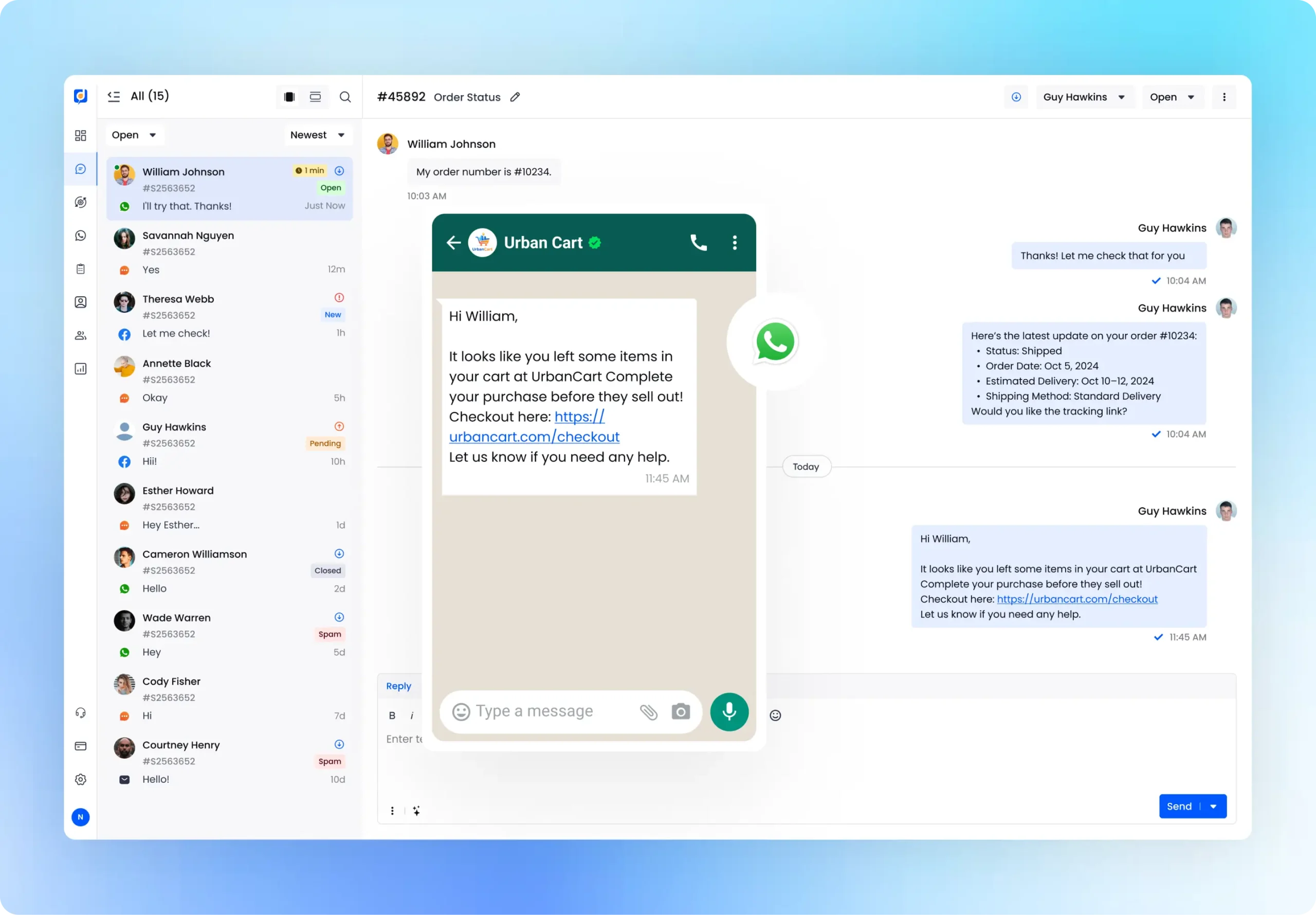
Stay within the 24-hour window with AI-powered replies
AI Automation for Support Teams
As support volume increases, manually handling every conversation slows teams. Here, Desku.io introduces automation that improves efficiency without taking control away from your agents.
Desku.io also reduces repetitive work by suggesting relevant help center articles before a human agent steps in. Common questions are resolved faster, while agents stay focused on complex or sensitive cases.
Automation runs quietly in the background, helping your team respond faster and more consistently without compromising quality or control.
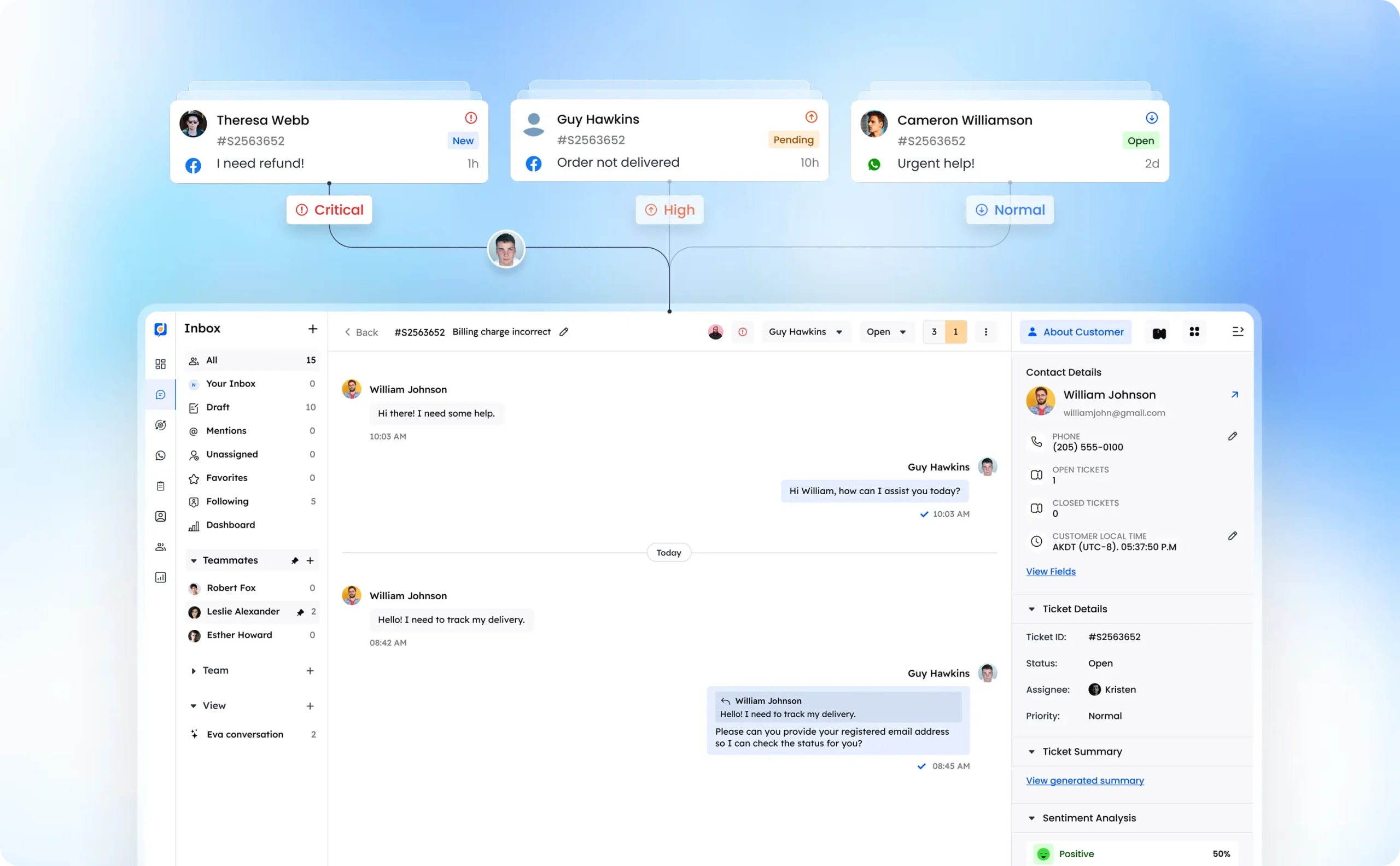
Deliver instant, 24/7 responses on WhatsApp while your team focuses on what matters most.
Get Started (Keep Your Number)
You do not need to change your number or disrupt customers.
Desku.io allows you to migrate your existing WhatsApp Business number to the API while keeping your contact details intact. The migration and verification process is straightforward, and your team can be up and running quickly with full access to professional support tools.
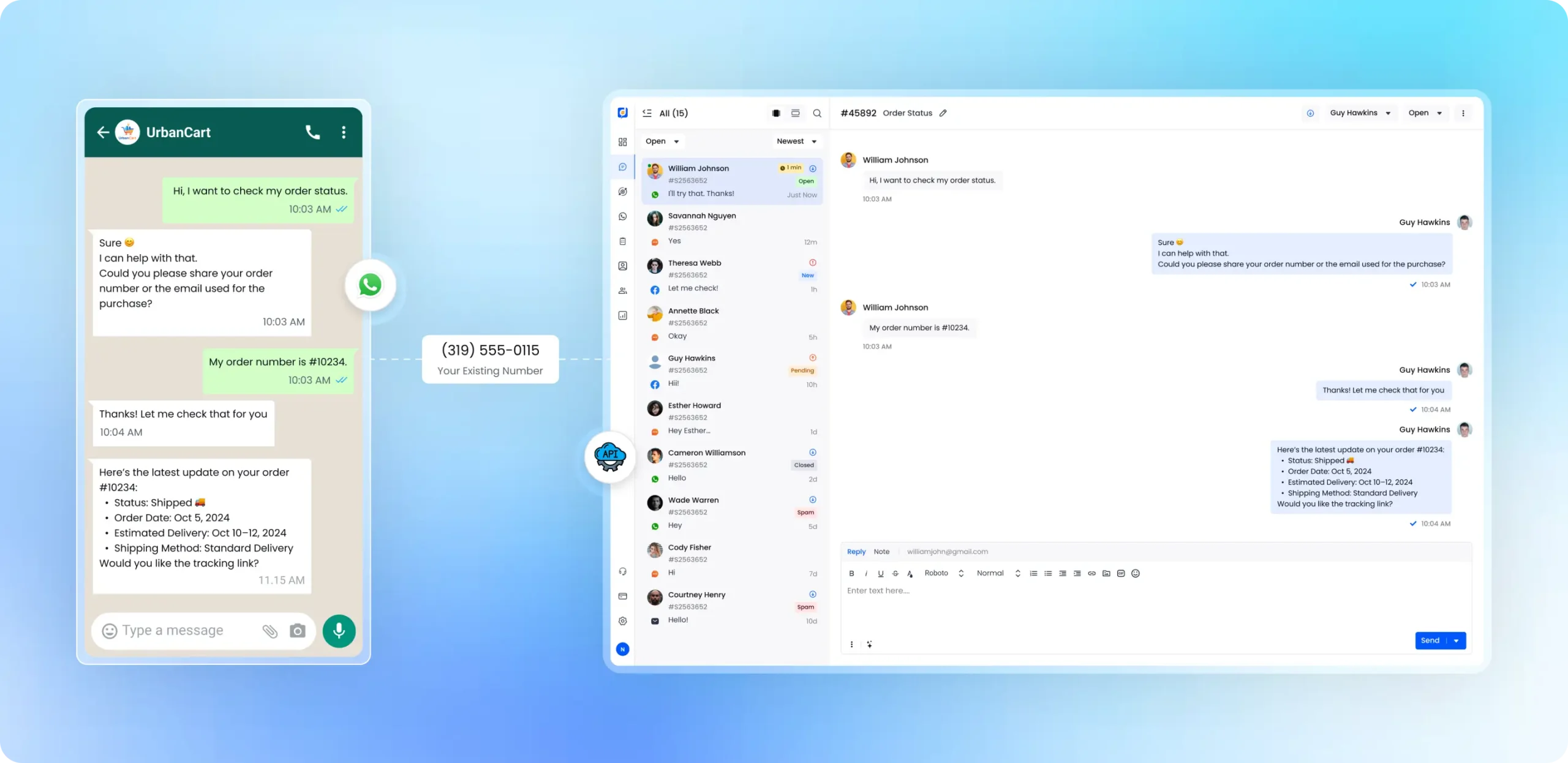
No credit card required • Setup in minutes
Professionalize Your WhatsApp Support
WhatsApp is no longer just a messaging app. It is where your customers expect real support.
Looking for WhatsApp sales features like abandoned cart recovery?

“We replaced three different tools with Desku.io, and our team couldn’t be happier. We saved money and now have a single source of truth for all customer queries.”
- Verified Review
FAQs -WhatsApp Business Integration
Can I use my existing WhatsApp number with Desku?
Yes. You can migrate your existing WhatsApp Business number to the Desku platform using the official WhatsApp Business API. This allows you to keep the same phone number customers already know while unlocking features like shared inboxes, team collaboration, and automation. Please note that previous chat history does not transfer due to Meta’s privacy policies.
How does WhatsApp Green Tick verification work?
The WhatsApp Green Tick is available to businesses using the official WhatsApp Business Platform (API). After connecting your number through Desku and verifying your business in Meta Business Manager, you can apply for the Green Tick to confirm your brand’s authenticity and increase customer trust.
Can I send files and images through Desku on WhatsApp?
Yes. Desku supports rich media messaging through the WhatsApp API. Your team can send and receive PDFs, images, videos, and voice notes directly from the shared inbox, making it easier to resolve support requests that require documents or visual troubleshooting.
Can multiple agents respond from the same WhatsApp number?
Yes. Desku turns your WhatsApp number into a shared inbox where multiple agents can handle conversations simultaneously. Conversations can be assigned to specific team members, preventing duplicate replies and ensuring clear ownership of each support request.
What is the difference between the WhatsApp Business app and the WhatsApp API?
The WhatsApp Business app is designed for small teams managing conversations from a single phone. The WhatsApp Business API is built for companies that need multiple agents, automation, integrations, and structured support workflows. Desku connects your number to the API so your entire team can collaborate from one shared inbox.
What happens if the 24-hour WhatsApp response window closes?
If the 24-hour messaging window closes, businesses can still contact customers using approved WhatsApp message templates. Desku allows your team to create, submit, and send these templates directly from the platform, helping you continue conversations while staying compliant with WhatsApp’s messaging policies.
Do agents need WhatsApp installed on their phones to reply?
No. Desku provides a browser-based WhatsApp inbox, so agents can respond to conversations from their computer without installing WhatsApp on their phone. This allows teams to manage support from anywhere while maintaining full visibility into conversation history.
How long does it take to set up WhatsApp Business API with Desku?
Setup is typically quick. After verifying your business in Meta Business Manager and connecting your number through Desku, most teams can begin managing WhatsApp conversations from the shared inbox within a short time.